
Browser access
The whole event can be run straight from the browser, through a dedicated link for each operation. No local installation or in-house servers needed, making it easy to set up and tear down the operation anywhere.
 PokerWeb Events
Everything the system does for your operation, with the real screens: 14 areas and 24 features. Search for what you need or browse the index.
No features found. Try another word or ask our team.
PokerWeb Events is fully online and was built for temporary, high-volume operations, ensuring stability and security throughout every leg of the poker event. Each login is controlled by each staff member's role, creating an organized and secure workflow.
The whole event can be run straight from the browser, through a dedicated link for each operation. No local installation or in-house servers needed, making it easy to set up and tear down the operation anywhere.
Each event has an independent database, ensuring privacy, organization and full separation between one leg and the next.
Even for recurring events, each edition stays isolated, preserving history and making audits easier.
Access is individual, with personal logins and passwords for tournament directors, finance, cashiers, floors and operations staff.
Each role has specific permissions, so each team member sees only what they need to do their job, keeping the operation secure and smooth.
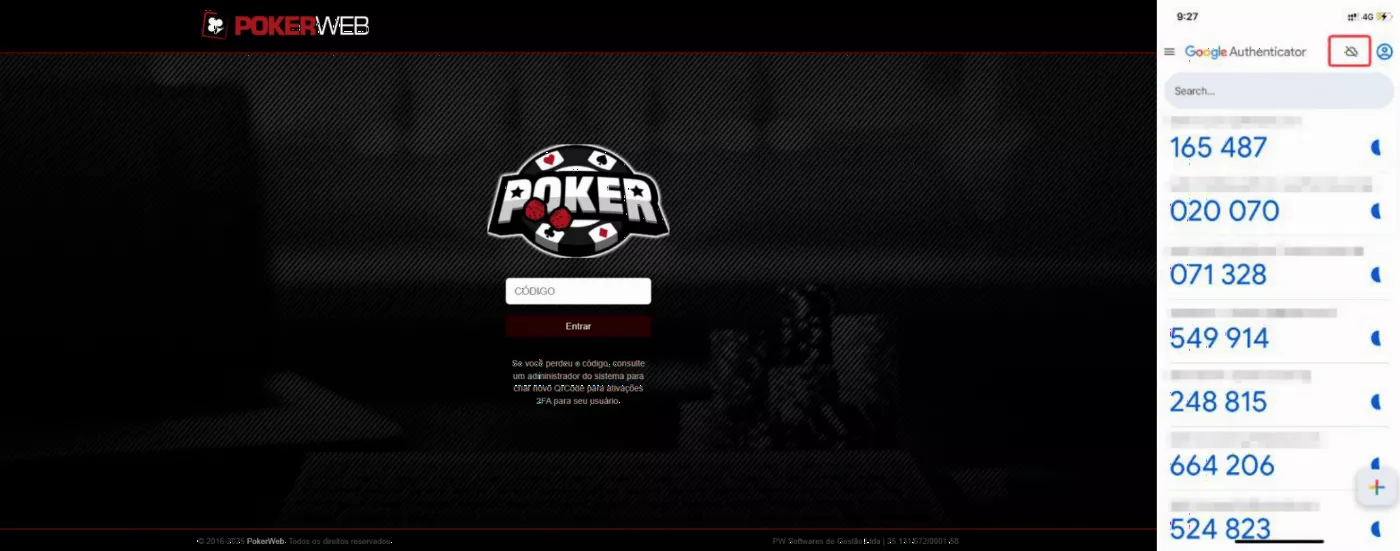
For large events, where many people access the system at the same time, 2FA strengthens protection and prevents unauthorized access.
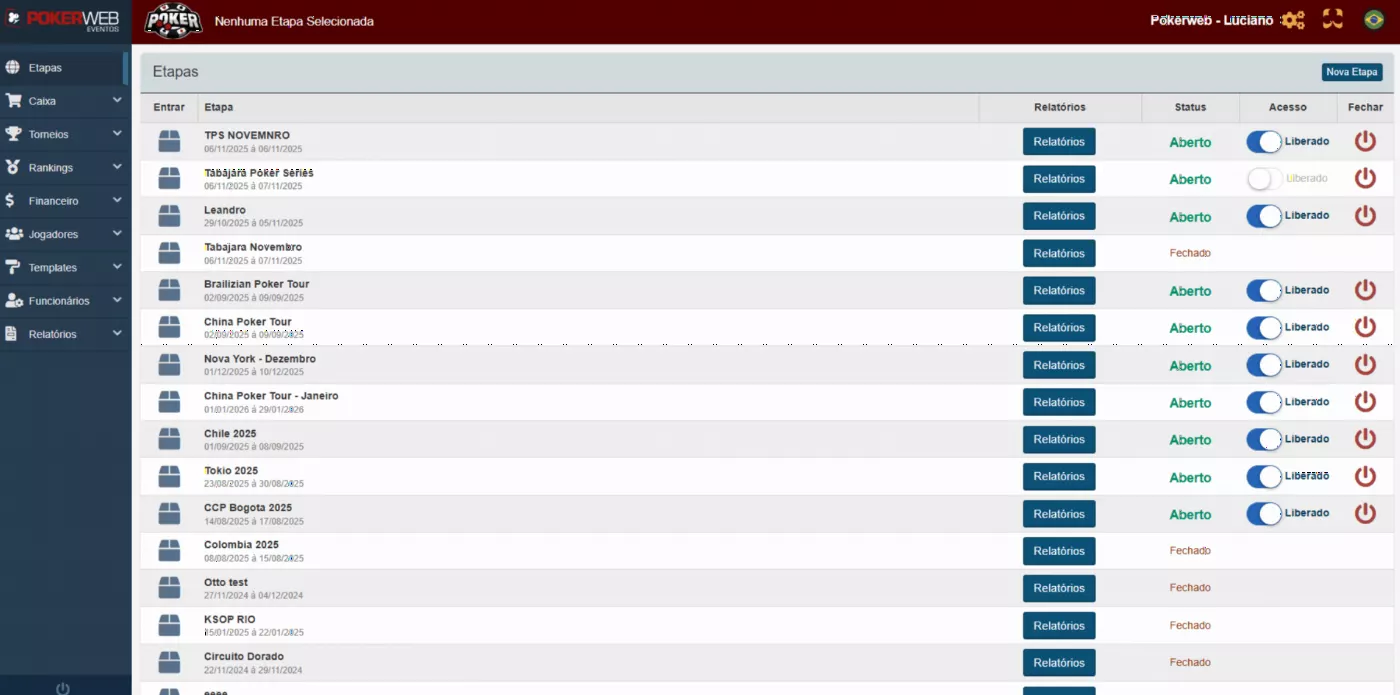
The PokerWeb Events home page shows every leg organized and properly separated for event control.
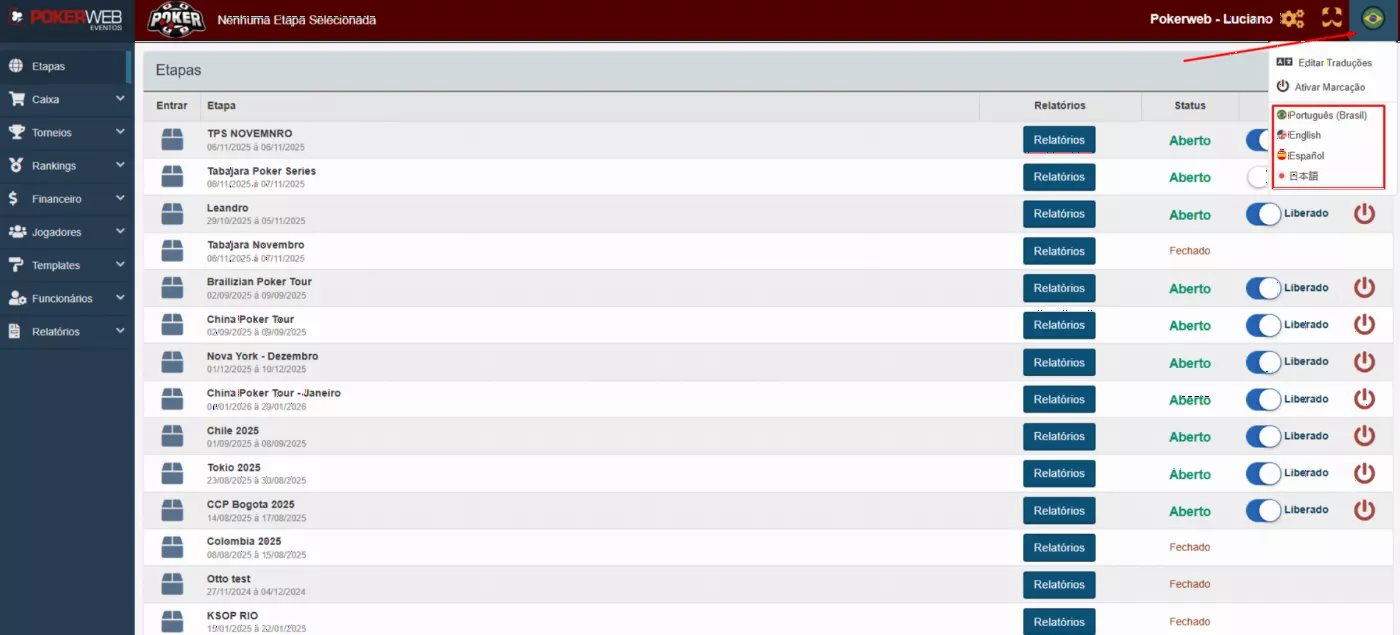
Available in multiple languages, making things easier for international staff and players.
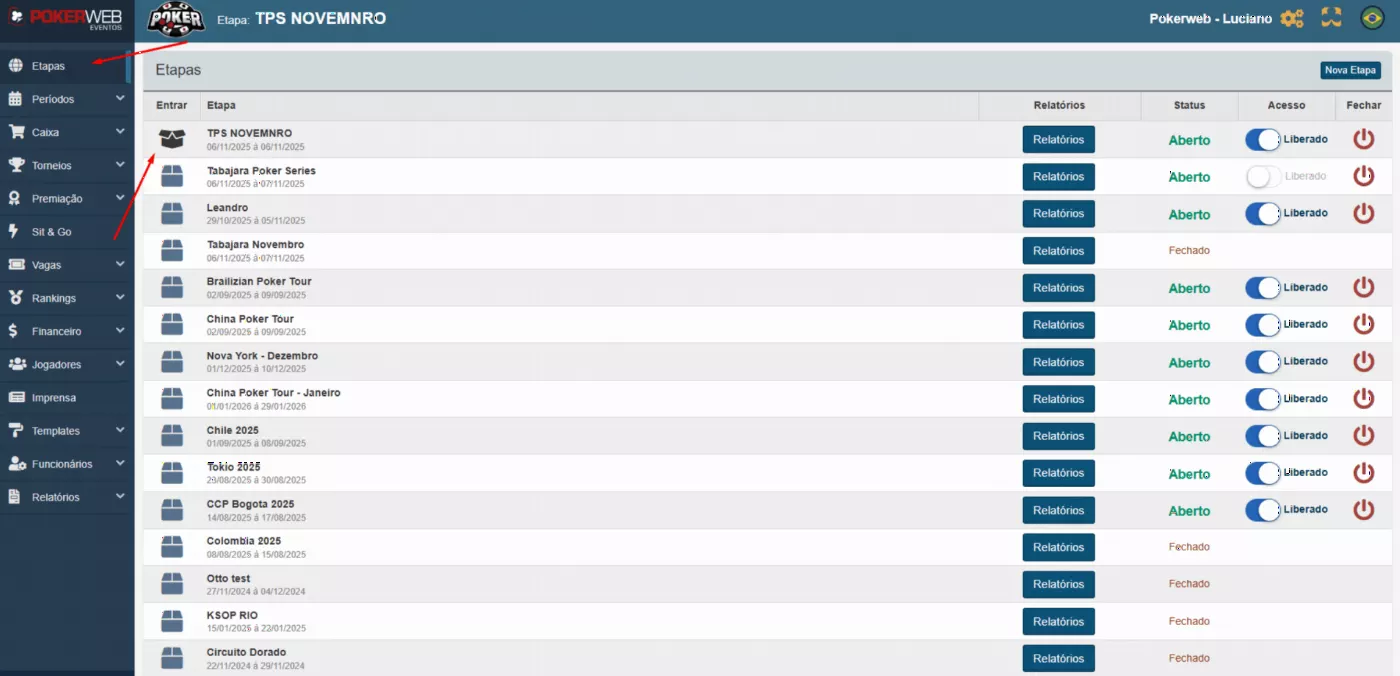
The Legs module organizes the event into independent phases, each accessed and managed separately. For each leg you can view specific information, generate dedicated reports and control the event's progress.
The system lets you block or open access to a leg and close it out once it's finished. Even after closing, the leg keeps its full recorded history, for organization and future reference whenever needed.
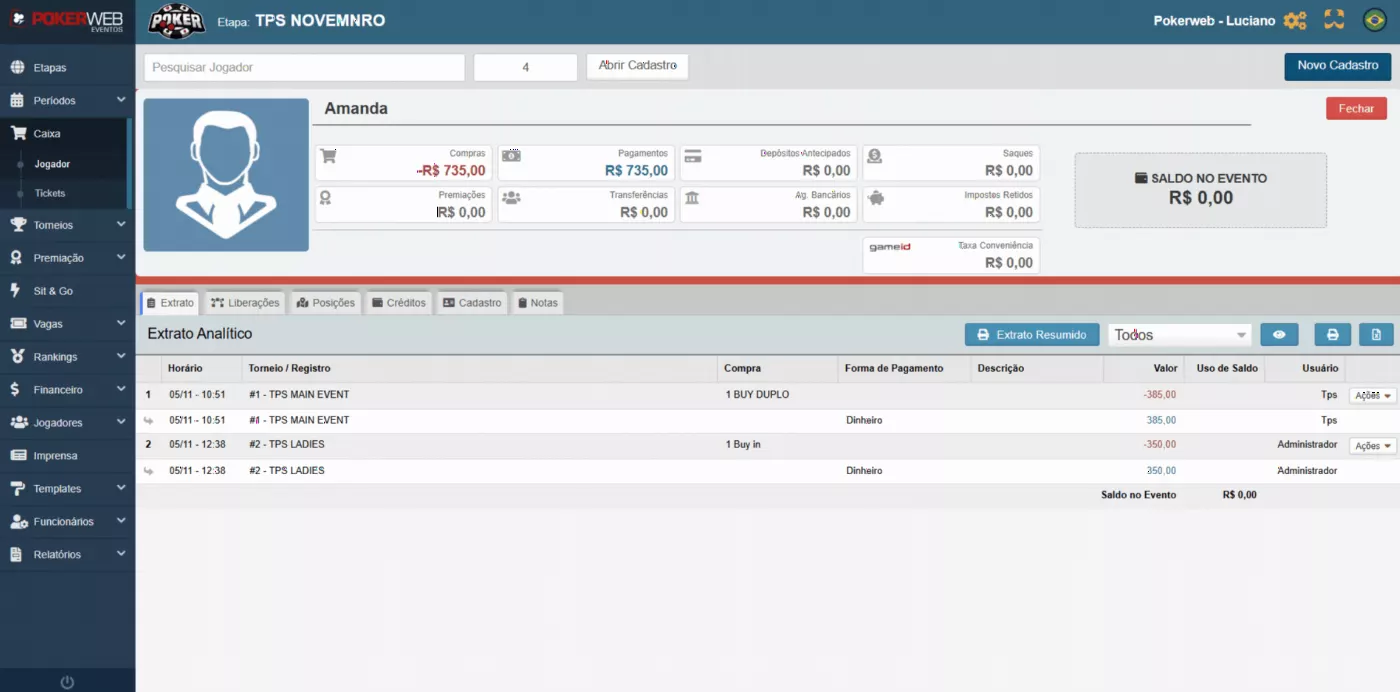
The Cashier module is where the operator handles all of the event's financial transactions. Here you can make sales, transfers between players, payouts, receipts, cash-ins and cash drops.
The operator can view each player's full statement, checking total purchases, payments made and available balance. You can also enable or block the use of credit during the event.
Right inside the module, the cashier can edit the player's profile when needed and check the amounts received throughout the day, keeping every transaction of the leg under control and organized.
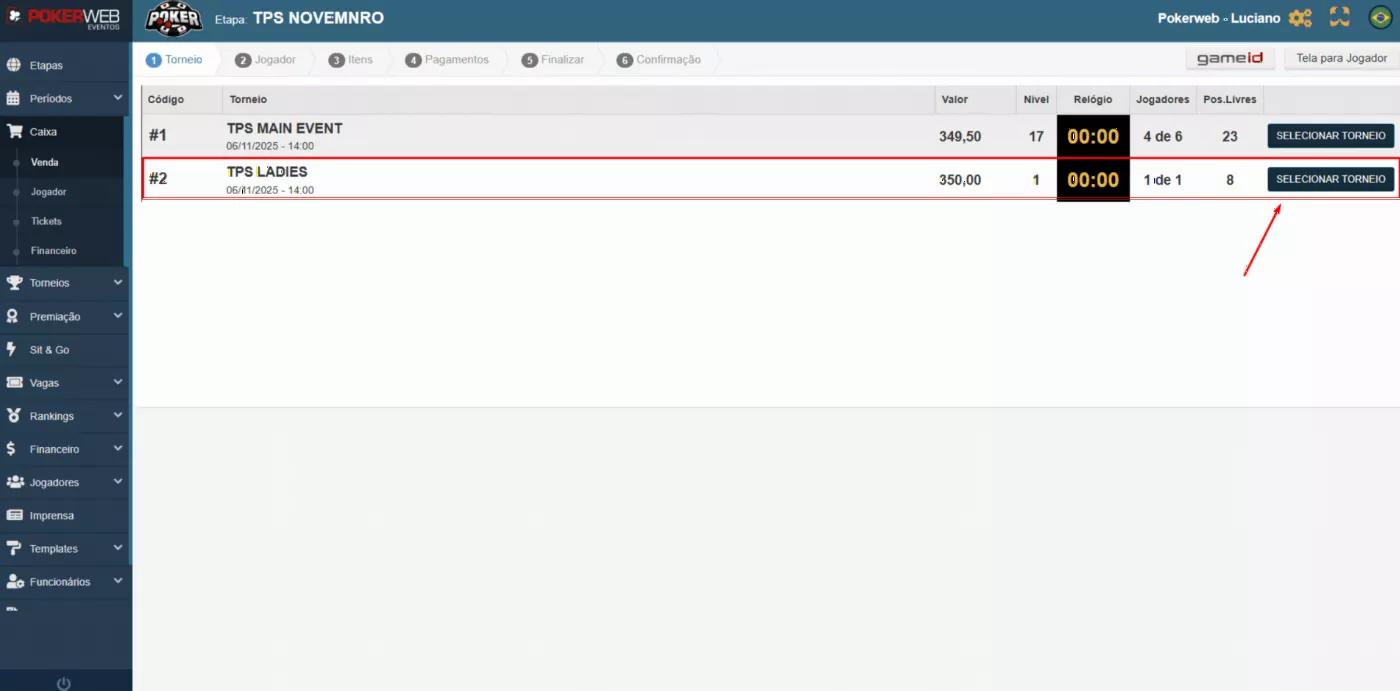
The sales screen was designed to make service fast and avoid lines at the event. The operator clearly sees every tournament open for sale, with prices, blind length and number of players already registered.
In a few clicks the sale is done and the player instantly gets their table and seat ticket, keeping the event flow fast and organized.
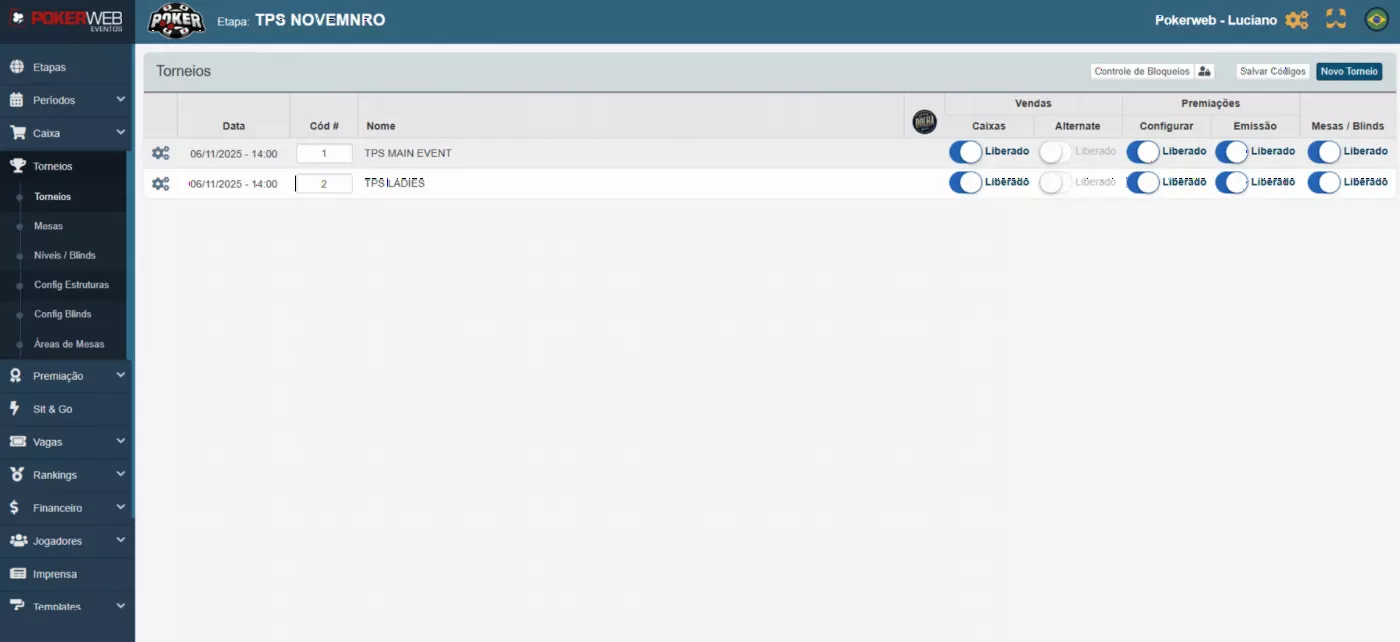
In the Tournaments module, you can create and manage each tournament of the event with ease.
The operator can open or close the tournament for sales, set it to alternate mode, control how payouts are displayed and issued, and decide whether tables are available for setup.
This module centralizes all the key actions for each tournament, making control and operation easier throughout the event.
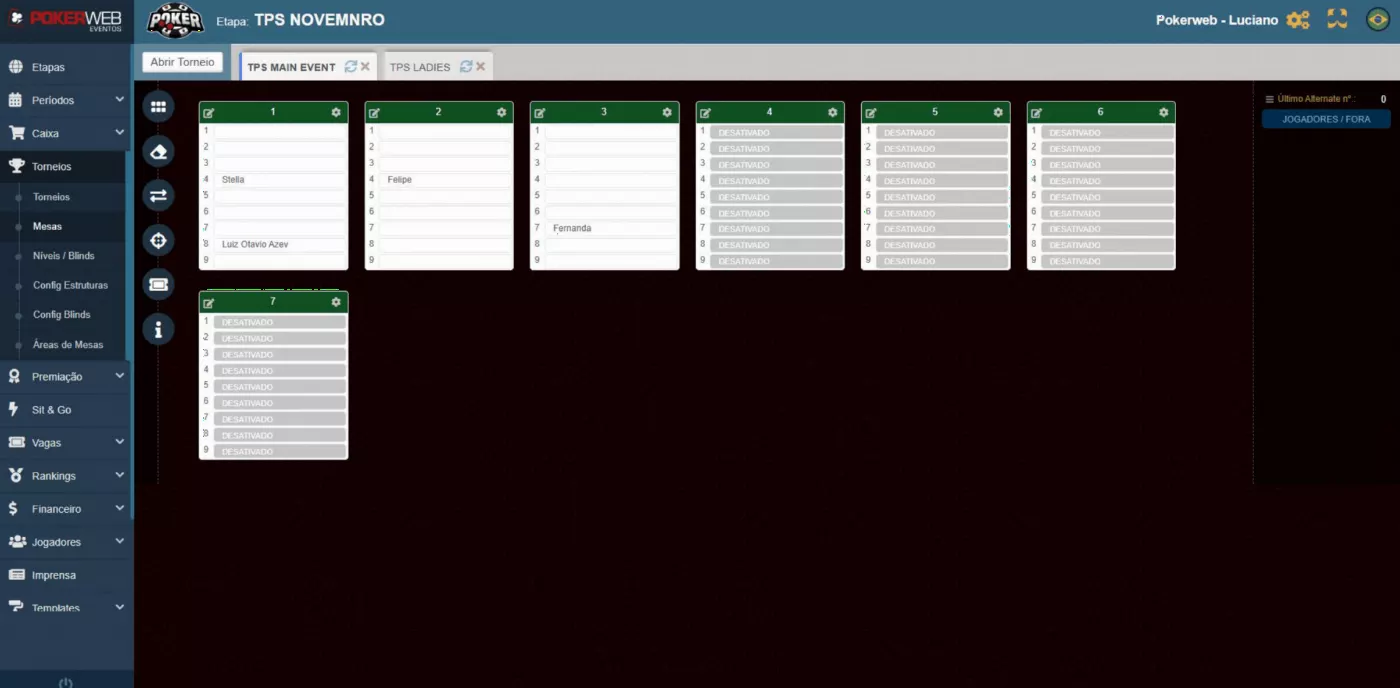
On the Tables screen, you can manage several tournaments at once in a practical, centralized way. As the cashier makes sales, players are automatically assigned to their tables and seats, following the setup defined by the tournament director.
On this same screen, the operator can create new tables, seat players, track occupancy in real time and eliminate players as the tournament progresses. All in a single panel, for speed and operational control.
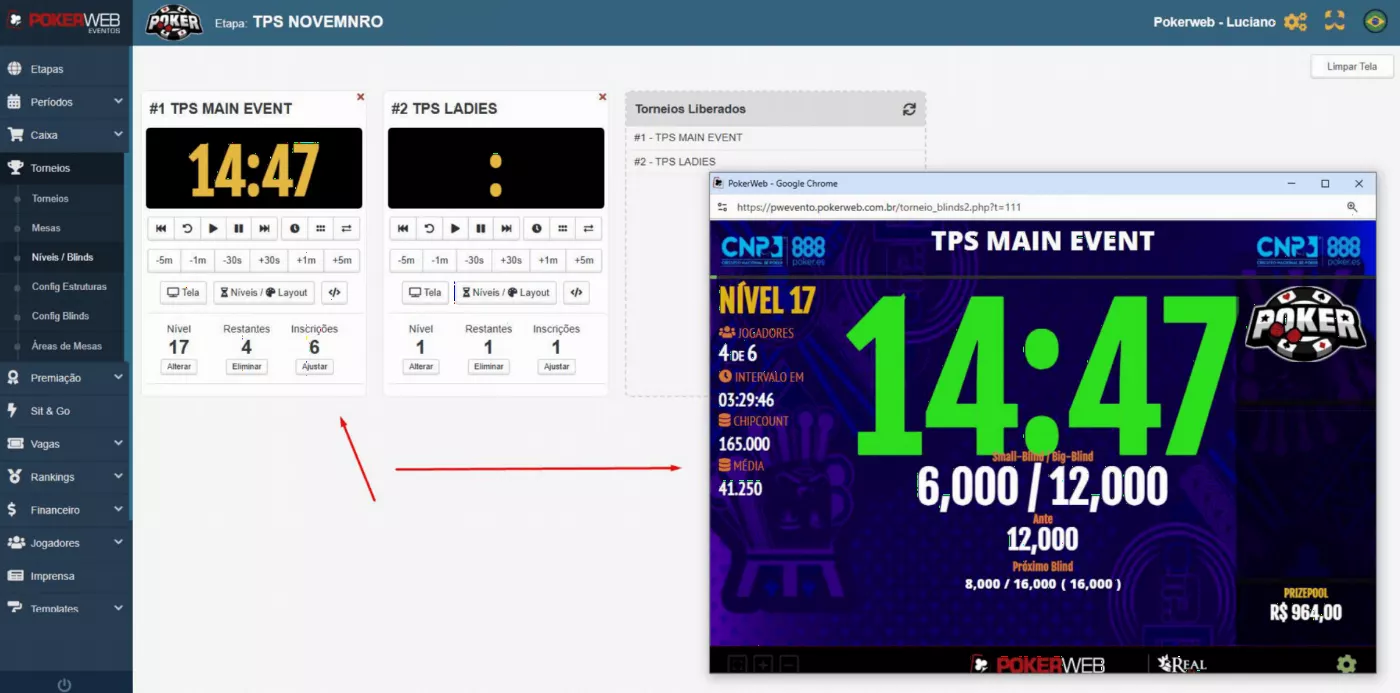
In Blind Levels, you can open several screens at once and mirror each one on the event's TVs, either by HDMI cable or online with a code on Smart TVs.
The operator can control blind timing and levels, process multiple eliminations and adjust every visual element on screen, such as colors, sizes, custom background, event image, logo and the full layout. All customization is simple and happens in real time, for a professional presentation throughout the tournament.
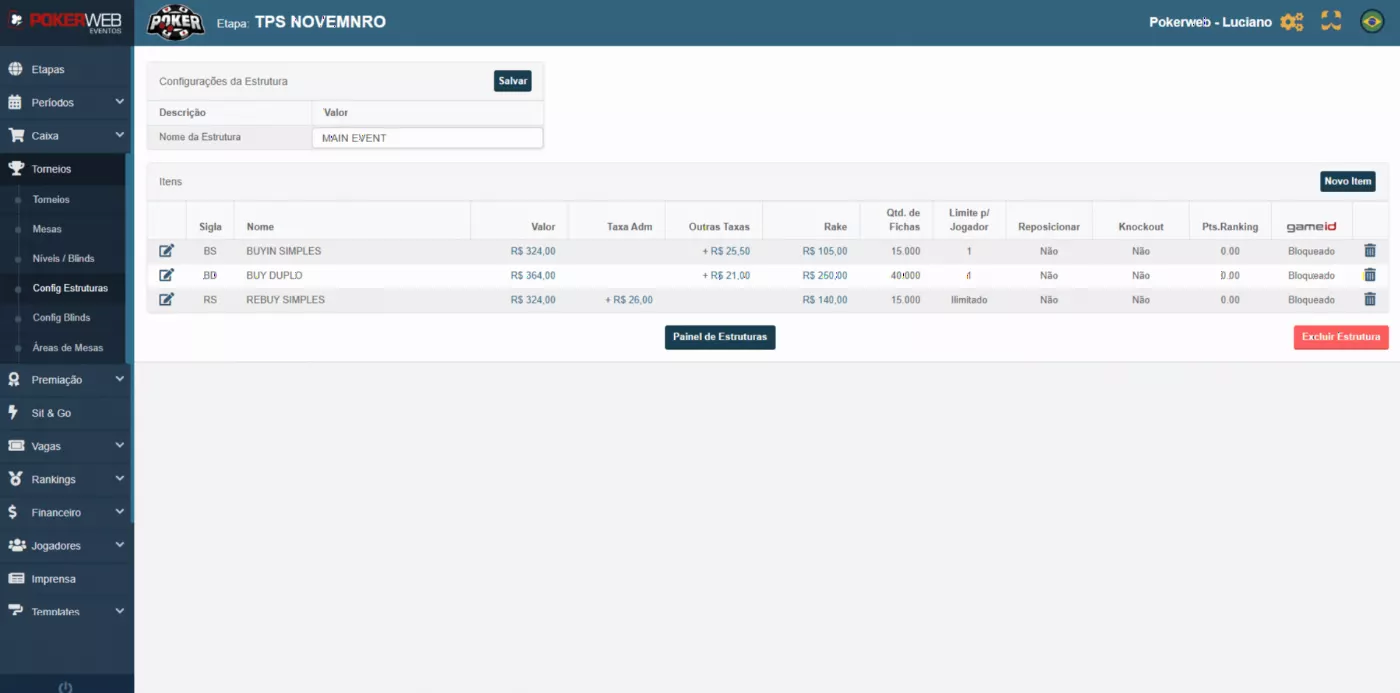
In Structure Setup, the event defines in advance every item that can be sold at the cashier, such as buy-ins, re-entries, rebuys, add-ons and other options available for the tournament.
Each item is registered individually and saved in the system, so when creating a tournament the operator can quickly select the desired structure. This brings speed and standardization and prevents errors when building the event's tournaments.
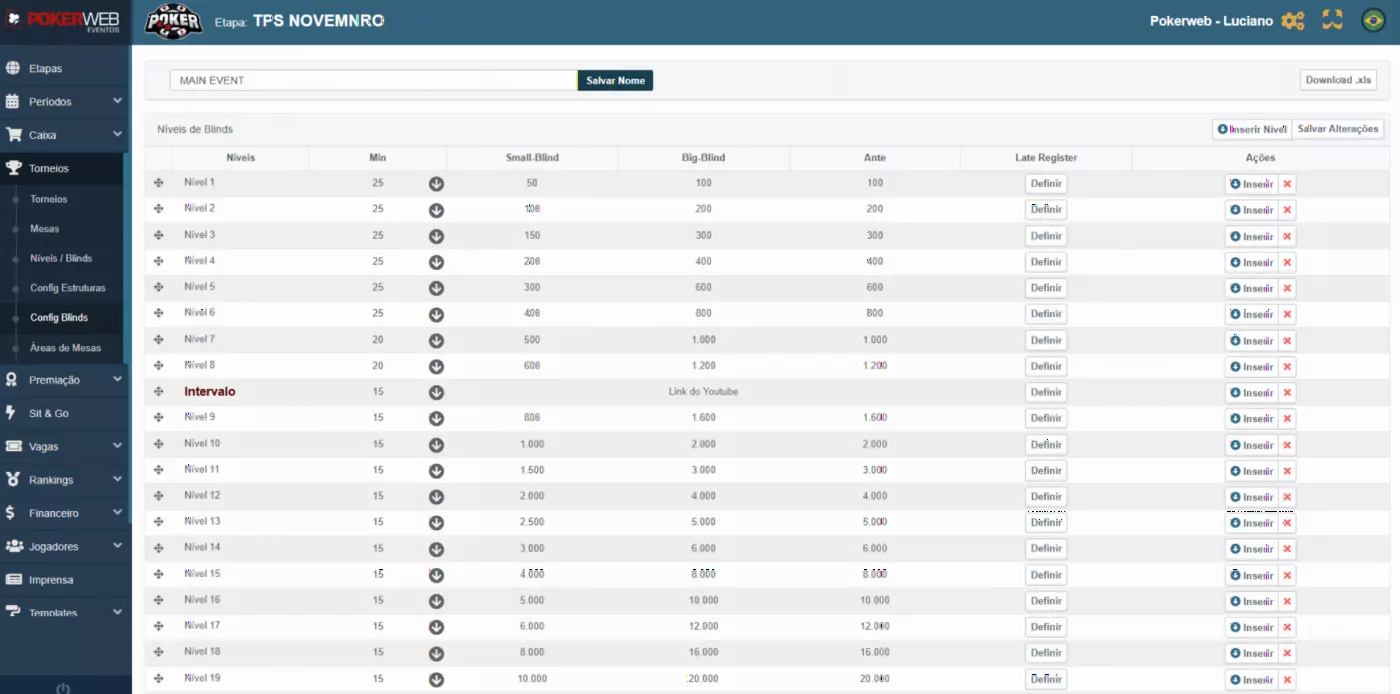
In Blind Structure Setup, the event can create and save different structures of levels, breaks, times and late registration for use in tournaments.
Each structure is registered individually and stored in the system, so the operator can quickly select the desired setup when creating a tournament. This speeds up building the schedule, standardizes the levels and ensures every leg of the event follows exactly the structure set by the organizers.
In the Payouts module, you can set up all the payout tiers for each tournament in advance. The organizers can award prizes as cash, internal credit or even tickets to other tournaments, with everything set before play starts.
Beyond the setup, the system lets you select the player, the tournament and the finishing position to issue the corresponding prize. Once issued, the amount is credited directly to the player's account within the event, so they can cash out at the cage.
Prizes can also be issued through the PokerWeb management app used by the tournament director, for more speed and autonomy during the event.
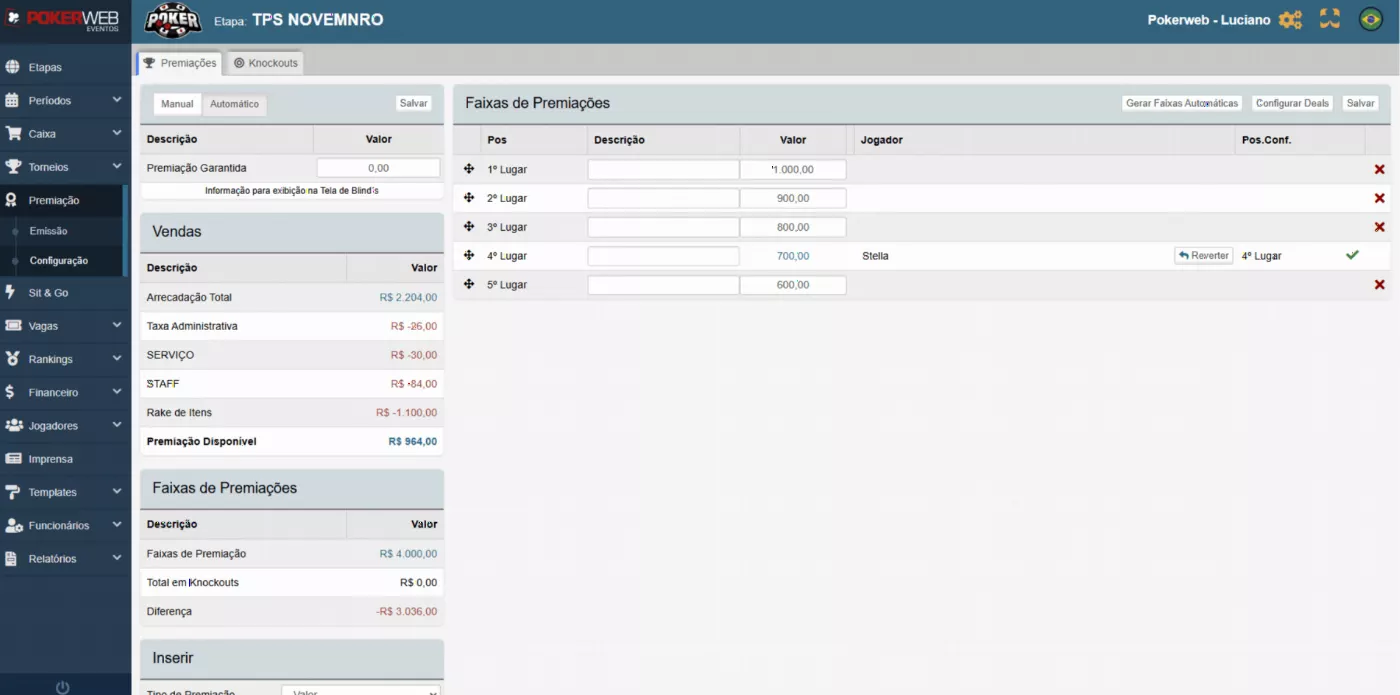
The Sit & Go module lets you create and control tables simply and directly. Here, staff can see how many players have registered, how many are still needed to start and how many places will be paid.
You can configure the table structure, set prizes, adjust entry prices and make sales quickly, keeping the whole process organized on a single screen.
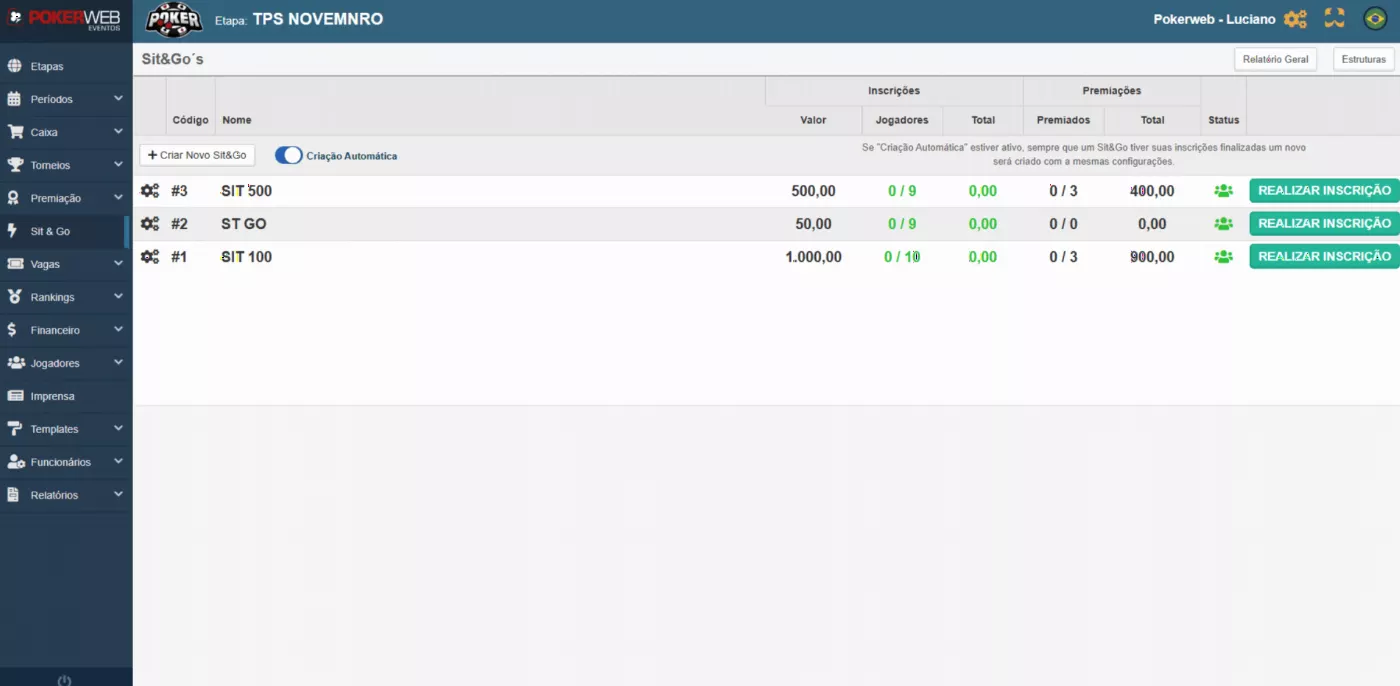
Satellite ticket management.
PokerWeb's tickets module gives you complete management of tickets generated by satellite tournaments. You can distribute them, transfer them between players and use tickets directly as payment for tournaments.
Every transaction is recorded automatically in the system, ensuring full control, traceability and transparency in every operation.
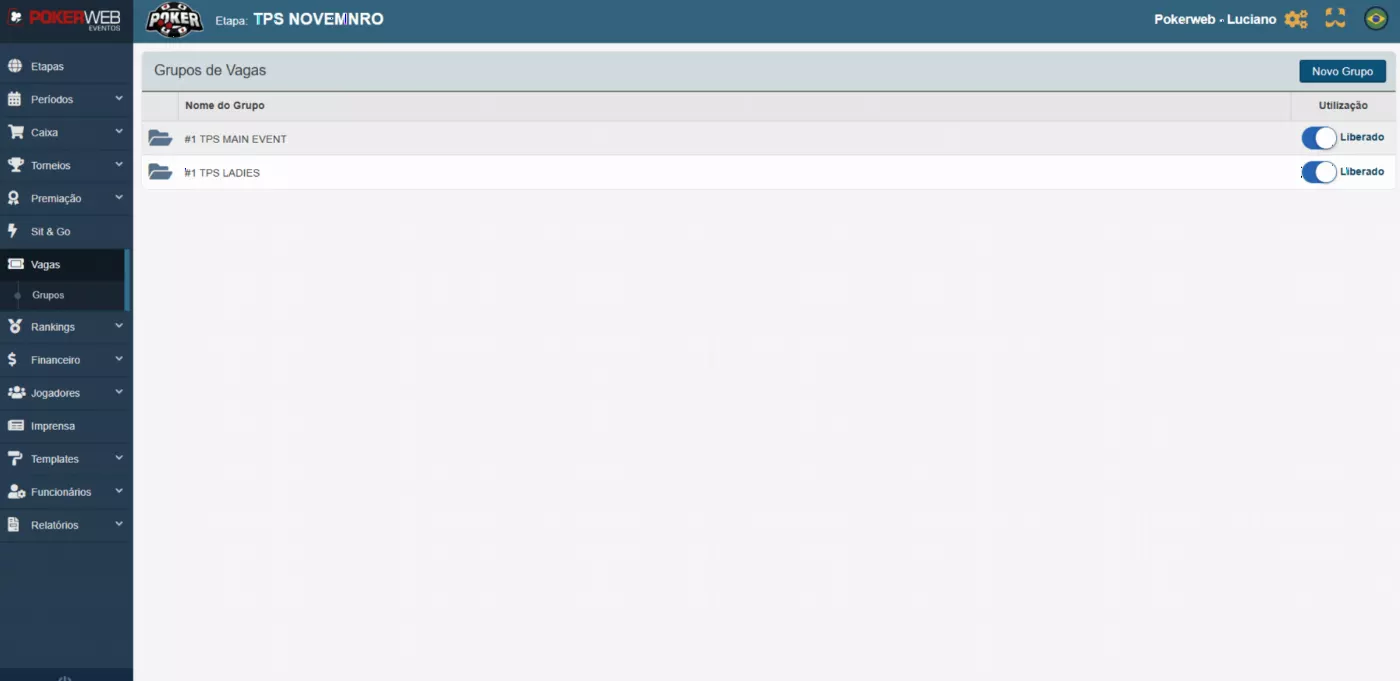
The Ranking module lets you set up custom scoring for the event, adapting the rules to the organizer's needs. After the initial setup, the system automatically awards points at the end of each tournament, based on players' ITM finishes.
You can also create and keep multiple rankings active at the same time, so the event can run different competitions, series or standings in parallel.
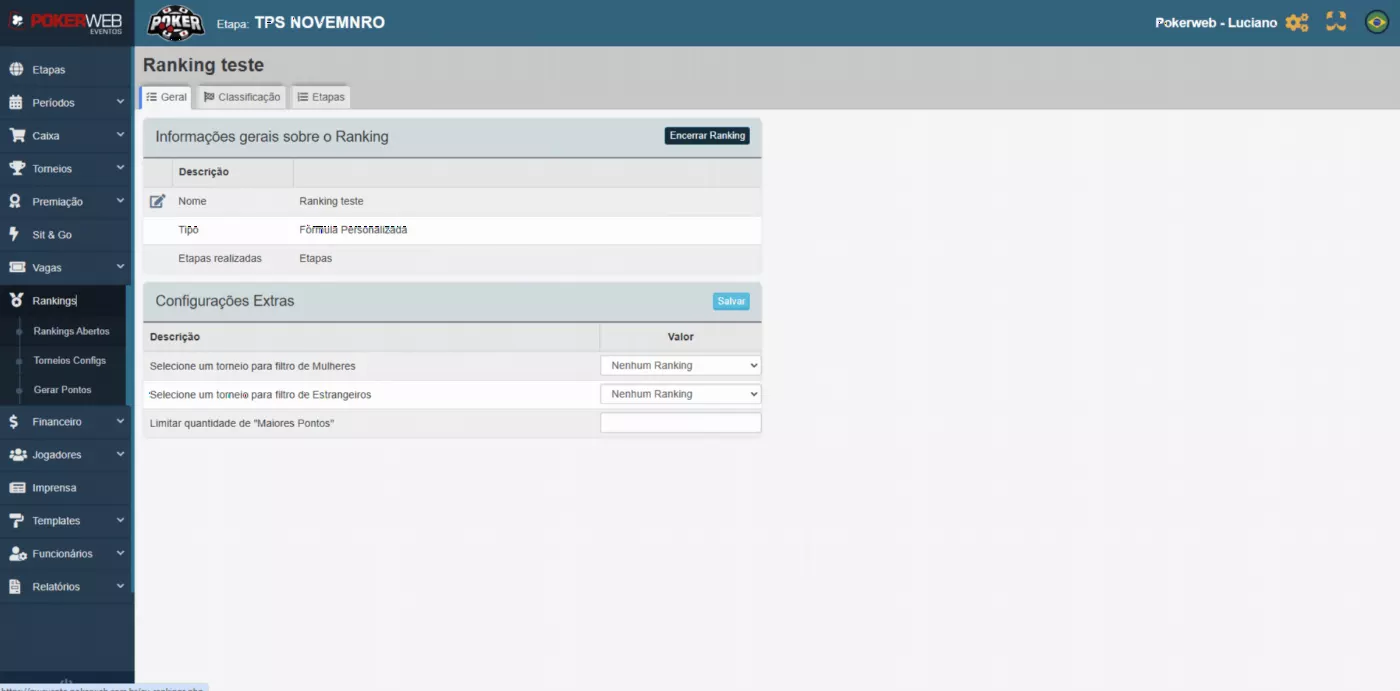
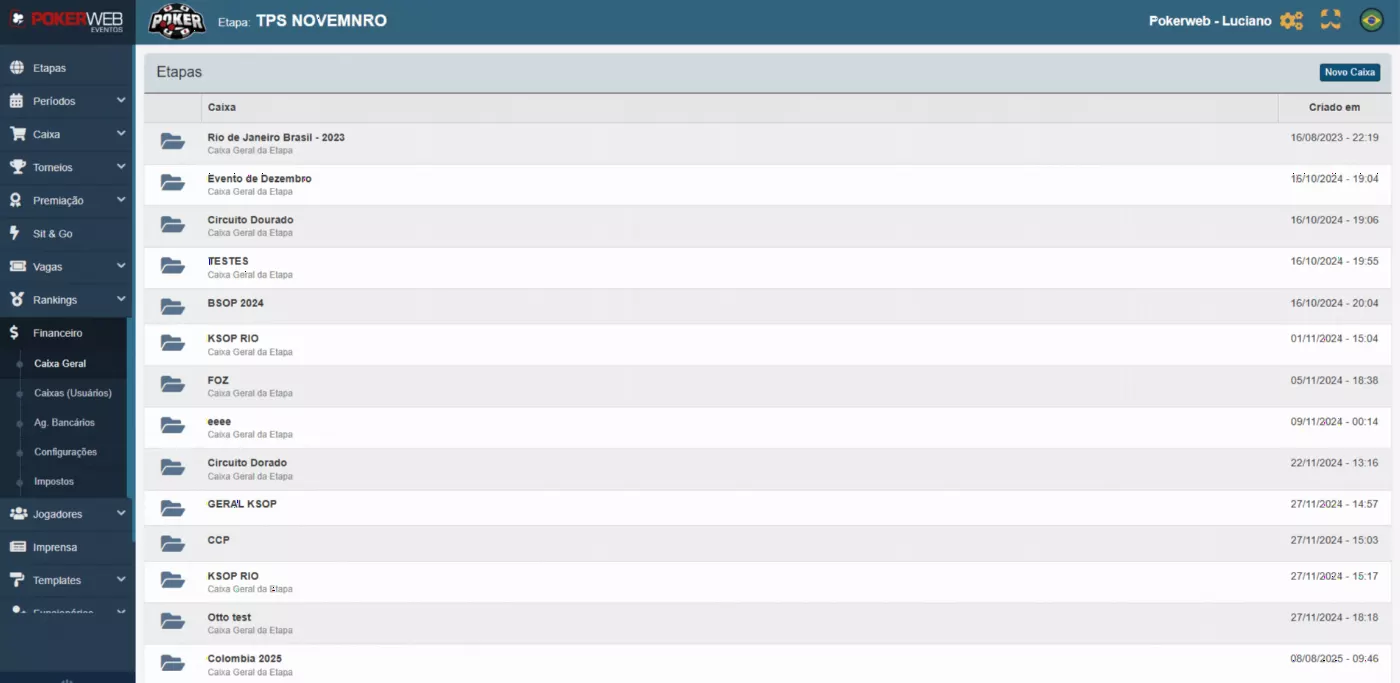
In the General Cashier, the system lets you track the money for each leg of the event separately. Each leg works as an independent "vault", where all physical amounts received are accumulated and recorded.
This gives you a clear view of the financial result of each phase of the event, with accurate reconciliation and full transparency at closing.
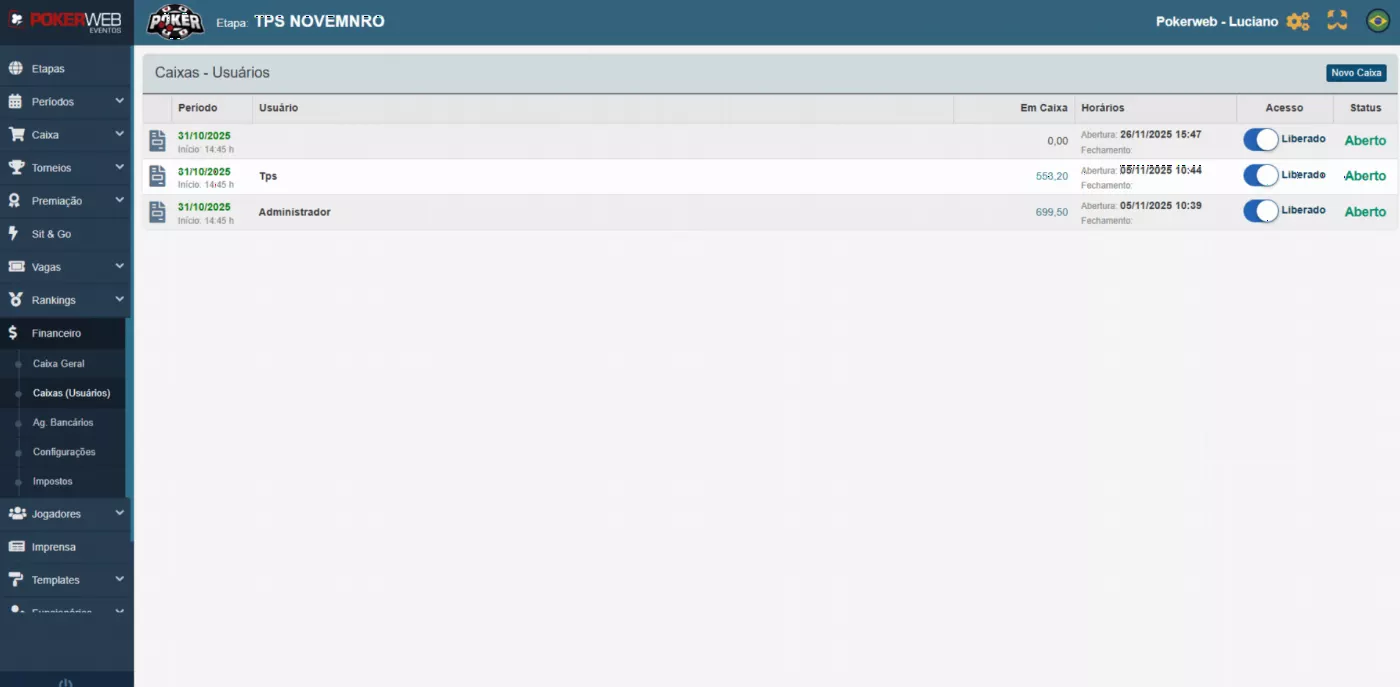
In the finance module, the User Cashiers area lets you manage every operator working the event each day. You can open each user's cashier, grant or block their access and follow every transaction in real time.
The system lets you record cash-ins and cash drops, and instantly see the sales each operator is making. That way, the finance manager has a complete, up-to-date view of the cashiers in operation, with full control throughout each leg of the event.
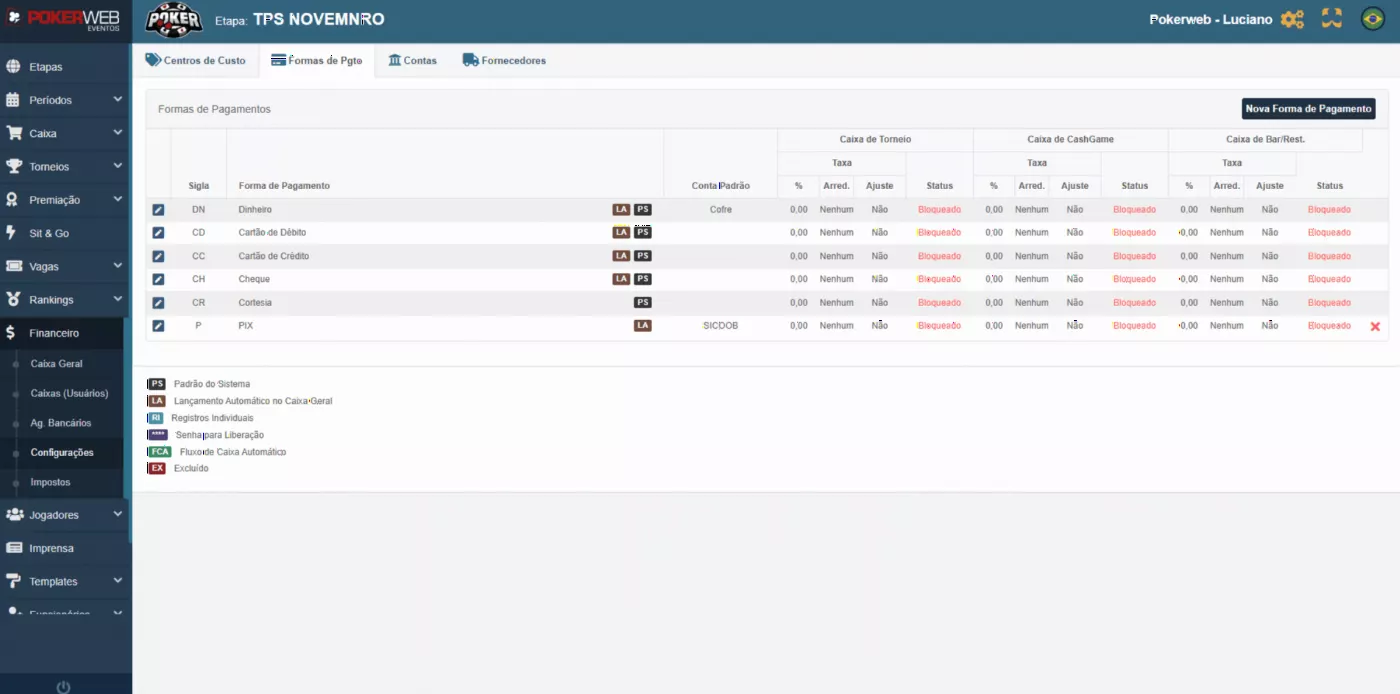
The finance menu gives you every tool you need to organize and track the event's financial operation. You can view and control all bank transactions scheduled by the cashiers, with full traceability and accurate reconciliation.
The event can also set which payment methods are enabled for the cashiers, standardizing accepted methods across legs. The system also lets you create and manage cost centers, bank accounts and suppliers, making administrative control easier.
Another important feature is the ability to create and manage player tax withholdings, so the event complies with the applicable rules and keeps a clear record of these withholdings across legs.
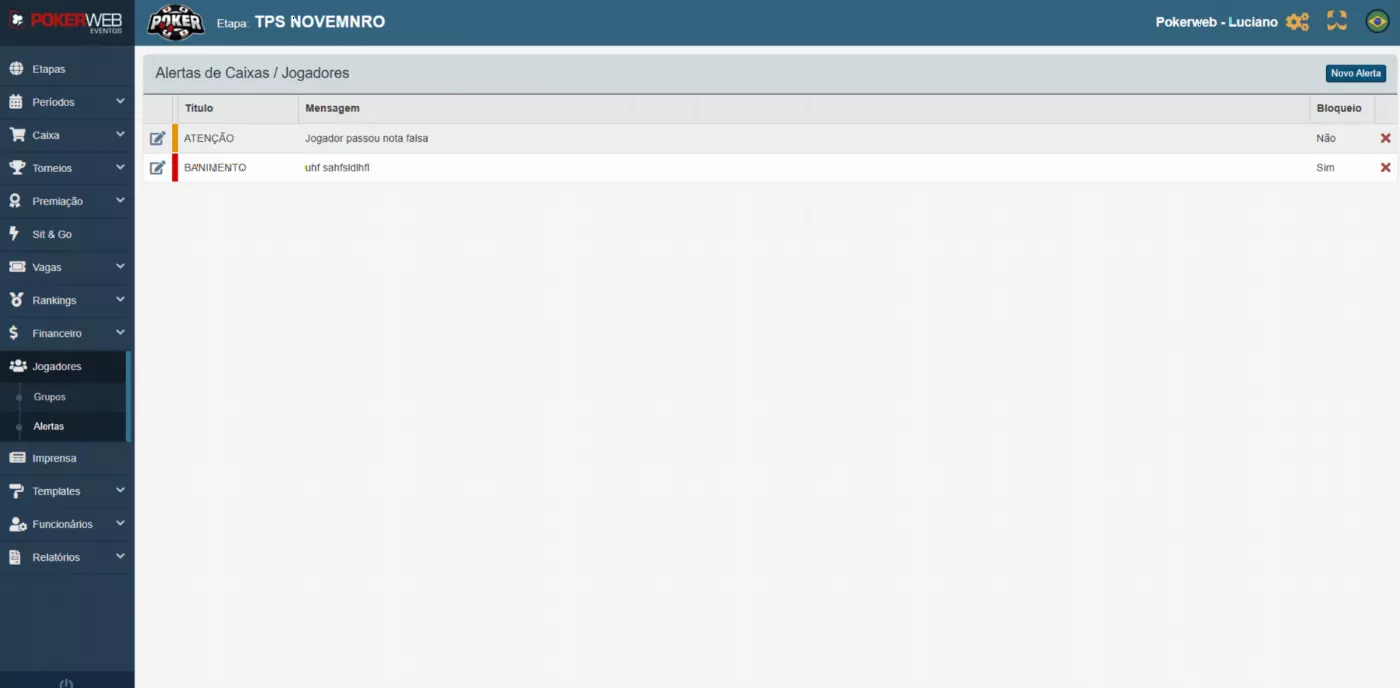
In the Players menu, the event can organize and classify participants by creating custom groups, such as VIP, High Roller, Ladies or any other segment needed. These groups make targeted actions, control and identification easier during the operation.
You can also create individual alerts linked to a player. When the cashier serves that player, the system shows the alert automatically, so the operator never misses important notes about them.
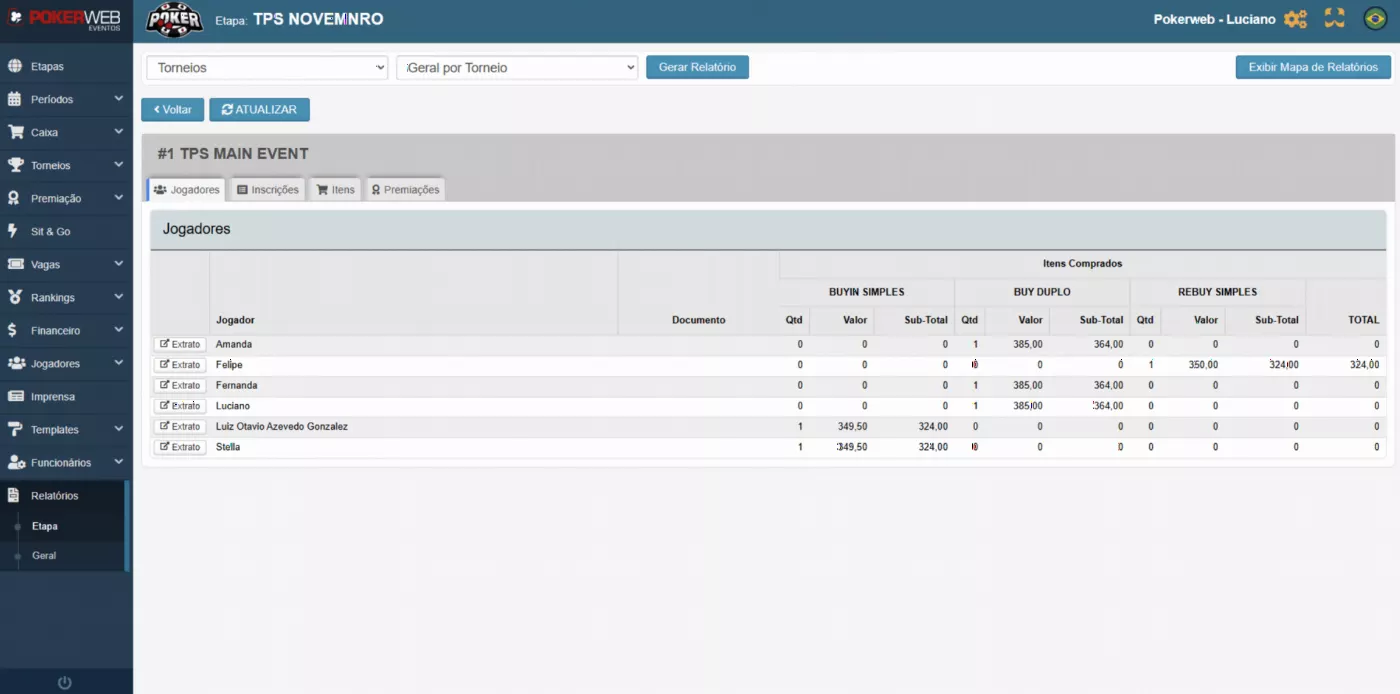
The Press module is for partners and media outlets covering the event. It offers a dedicated area where the press can access official, organized and up-to-date information to use on their channels.
Here you can view general tournament details, see player lists with data such as nationality, city and full name, and follow the payouts to see who is getting each paid position. Everything is clear and structured, making it easy to promote the event professionally.
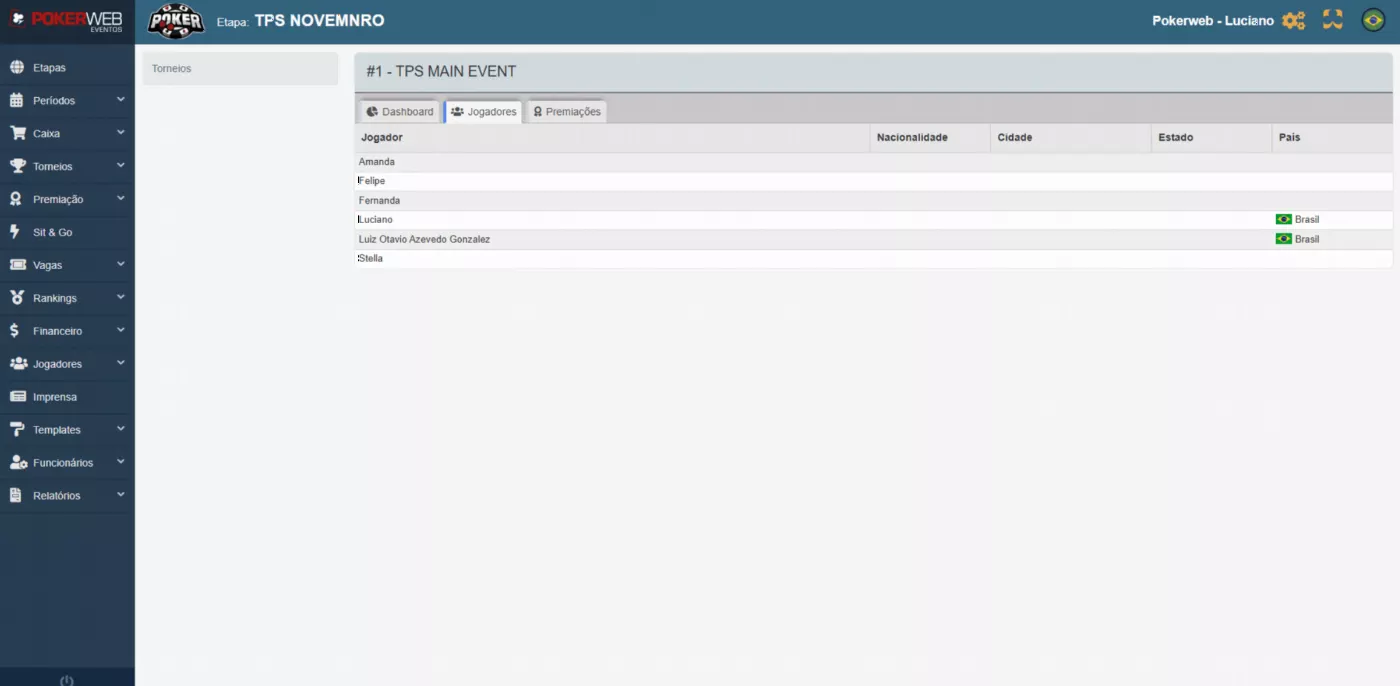
The Staff module lets you register the whole team working at the event, keeping a complete, organized staff list. Here you can also create system users, setting an individual login and password for each person who will access PokerWeb Events.
Permissions can be customized user by user, so you control exactly what each role can see and do. You can also create permission groups, such as Cashier, Directors, Finance and Floor, making management easier and letting you quickly assign employees to the right group.
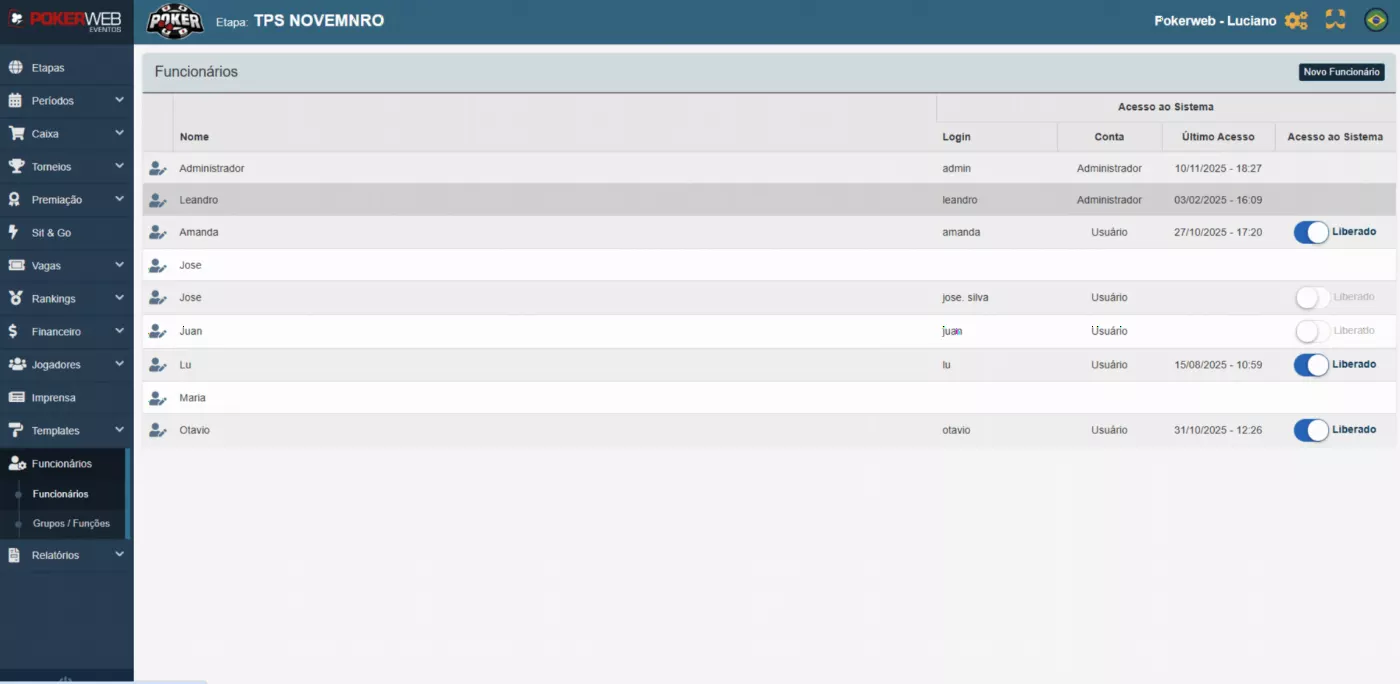
The Reports menu lets you pull the key information for decision-making in a simple, organized way. Reports are split into blocks — such as tournaments, cash games, players, tickets and finances — and can be viewed grouped or detailed, as the event needs.
You can also generate system-wide reports or reports by leg, so you can analyze each stage of the event separately and track performance and results accurately.
Connect your club's data to the AI you already use and to other systems. Free during the beta, for clubs and events on every plan.
Talk to your club through ChatGPT, Claude or another AI, even by voice on your phone. It answers with the club's real data and carries out the actions you allow, like adjusting a player's credit limit.
Your club's BI, spreadsheet or in-house system connects directly to PokerWeb data, with no file exports. Your club's data stays within your reach, not locked in the system.
The administrator creates each access key, decides whether it can only read or also take actions, and revokes it anytime. Only your own club's data, never anyone else's.
Book a demo
Home game, club or event: fill this out and our team will contact you to show the system running with your operation's look. Ask anything you want and we'll show you, right then.
Prefer WhatsApp? Talk directly to our team →
Tournaments, cash, ranking and finance, with the same support as the big clubs.
Request a proposalUnscripted demo: ask anything you want and we'll show you in the system. No lock-in, no cancellation fee.
Book a demoCashiers per operator, registration kiosk, GameID and PWPay. We'll put together the proposal for the size of your event.
Request a proposalHome game, club or event: our team shows you the system running with your operation's look.
Talk to us